
Flagstar Mobile19.3.5 - Google Play
You'll be able to see results in few seconds.
Publisher Description


Designed for banking on-the-go.
Flagstar Mobile was created so you can bank anytime, anywhere.
This free app features exciting tools like Zelle®, a fast, safe and easy way to send money in minutes*, and Debit Card Controls, which puts you in control of where, when, and how your debit card is used.
Download Flagstar Mobile to bank on-the-go or from the comfort of your home.
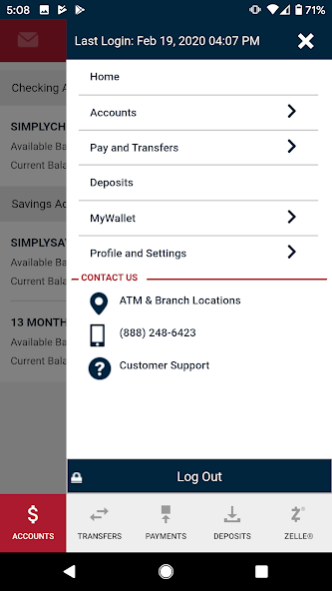
- View checking and savings account balances, activity, check images
- Transfer money to Flagstar or external accounts
- Set Debit Card Controls to block and unblock a card
-Use Zelle® to send money in minutes* to your friends and family
- Pay bills easily with Bill Pay
- Find Branches and ATMs
- Deposit checks using your mobile device**
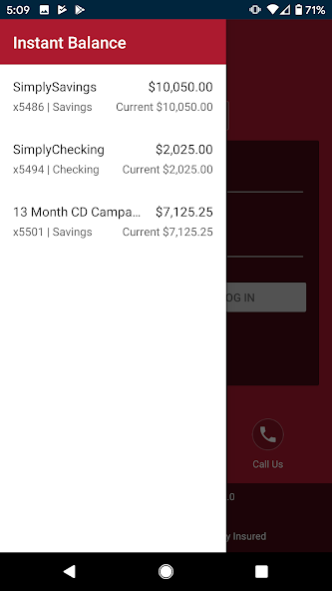
- Get your balance instantly without logging in
Log in using the same username and password you use for Flagstar Online Banking, or make it even easier with fingerprint sign-in. All transactions are protected through encryption, Transport Layer Security (TLS), and real-time authentication.
Disclosure
Flagstar Mobile is for use with Flagstar Bank accounts.
Zelle and the Zelle related marks are wholly owned by Early Warning Services, LLC and are used herein under license.
*Must have a bank account in the U.S. to use Zelle. Transactions between enrolled Zelle users typically occur in minutes. If your recipient is not yet enrolled with Zelle, it may take between 1 and 3 business days after they enroll. Data charges may apply. Check with your mobile phone carrier for details.
**Not all devices may be supported. Customer eligibility required. Personal customer checking and savings accounts only. Must be an active personal online banking user. Must be customer for a minimum of two business days. Accounts must be in good standing.
About Flagstar Mobile
The company that develops Flagstar Mobile is Flagstar Bank. The latest version released by its developer is 19.3.5.
To install Flagstar Mobile on your Android device, just click the green Continue To App button above to start the installation process. The app is listed on our website since 2023-11-21 and was downloaded 0 times. We have already checked if the download link is safe, however for your own protection we recommend that you scan the downloaded app with your antivirus. Your antivirus may detect the Flagstar Mobile as malware as malware if the download link to com.onlinebank.flagstar is broken.
How to install Flagstar Mobile on your Android device:
- Click on the Continue To App button on our website. This will redirect you to Google Play.
- Once the Flagstar Mobile is shown in the Google Play listing of your Android device, you can start its download and installation. Tap on the Install button located below the search bar and to the right of the app icon.
- A pop-up window with the permissions required by Flagstar Mobile will be shown. Click on Accept to continue the process.
- Flagstar Mobile will be downloaded onto your device, displaying a progress. Once the download completes, the installation will start and you'll get a notification after the installation is finished.
Program Details
System requirements
Download information
Pricing
Version History
version 19.3.5
posted on 2023-11-21
version 19.3.4
posted on 2023-07-28
This update includes bug fixes.
version 19.3.0
posted on 2020-04-12
What's New:
-New login screen makes it easier to view instance balances with a click of a button
-See all of your accounts as soon as you sign in and enjoy fast access to transfers, check deposits**, Bill pay and Zelle
version 17.4.0
posted on 2019-01-30
General enhancements.
Disclaimer
Official Google Play Link
We do not host Flagstar Mobile on our servers. We did not scan it for viruses, adware, spyware or other type of malware. This app is hosted by Google and passed their terms and conditions to be listed there. We recommend caution when installing it.
The Google Play link for Flagstar Mobile is provided to you by apps112.com without any warranties, representations or guarantees of any kind, so access it at your own risk.
If you have questions regarding this particular app contact the publisher directly. For questions about the functionalities of apps112.com contact us.
